Teltonika ATC700 - LED Indicator Guide
What each light color and blinking pattern means on the ATC700 mini asset tracker
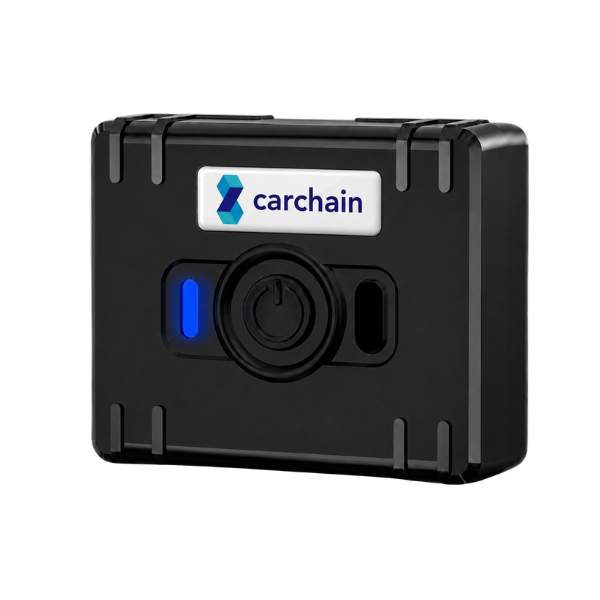
The Teltonika ATC700 is a mini, rechargeable, wire-free tracker used for asset tracking, workforce monitoring and livestock/pet monitoring. It has a single RGB status LED that communicates what the device is doing through its color, blinking pattern and duration.
This page explains what each LED behavior means so you can quickly check device status in the field, without needing to connect it to a computer.
Connectivity
4G LTE Cat 1 + 2G/GSM fallback
Positioning
Multi-GNSS (GPS, GLONASS, Galileo, BeiDou)
Battery
1000 mAh rechargeable, USB-C
Ruggedness
IP65 housing
Sensors & controls
Accelerometer + multi-action button
Dimensions / weight
62.2 x 54.2 x 20.3 mm / 71 g
LED indications
The status LED changes color and blinking pattern depending on what the device is doing. The table below covers every state.
| Meaning | Color | Behaviour | Duration |
|---|---|---|---|
| Power on | Green | Steady | 3 s |
| Low battery (below 20%; not shown with Power Off Sleep enabled) | Red | Blinking - 1 s ON / 1 s OFF | Until power off |
| Charging | Yellow | Pulsing - fade in 2 s / fade out 2 s | Until charged or USB disconnected |
| 100% charged | Green | Steady | Until USB disconnected |
| Firmware update | Blue | Blinking - 0.1 s ON / 0.1 s OFF | Until update finished |
| Configuration uploading | Blue | Steady | 3 s |
| Periodic record sending | Yellow | Blinking - 0.2 s ON / 2 s OFF | Until record is sent or fails |
| Record sent with GNSS fix | Blue | Steady | 3 s |
| Record sent - no GNSS fix | Yellow | Steady | 3 s |
| Record sending failed | Red | Steady | 3 s |
| Alarm | Red | Pulsing - 0.5 s fade in / 0.5 s fade out | 6 s |
| Normal operation - idle (not shown with Power Off Sleep enabled) | Blue | Blinking - 0.5 s ON / 1 min OFF | While idle |
| Power off | Red | Steady | 2 s |
LED indication can be configured (enabled/disabled per event) via Teltonika Configuration Tool (TCT) or FOTA Web.
Quick reference by color
- Green: power on / fully charged - everything normal.
- Blue: GNSS/network activity - firmware update, config upload, record sent with GNSS fix, or normal idle heartbeat.
- Yellow: in progress or partial - charging, sending a record, or a record sent without a GNSS fix.
- Red: needs attention - low battery, a failed record, an alarm, or power off.
Have an ATC700 installed on your fleet?
Book a demo and we will help you get the most out of it on the Carchain platform.